Smart Home Lockdown: Protect Your Network from Ransomware
As the leaves change in Solon and the nights get longer, we’re all spending a bit more time tucked away inside. Between the smart doorbell ringing when a package arrives and the robotic vacuum humming along the floor, our homes are busier than ever. Most of us now have 20 or more connected gadgets running at once. While these devices make life easier, they also create a digital front door that is often left wide open.
The Problem with "Smart" Neighbors
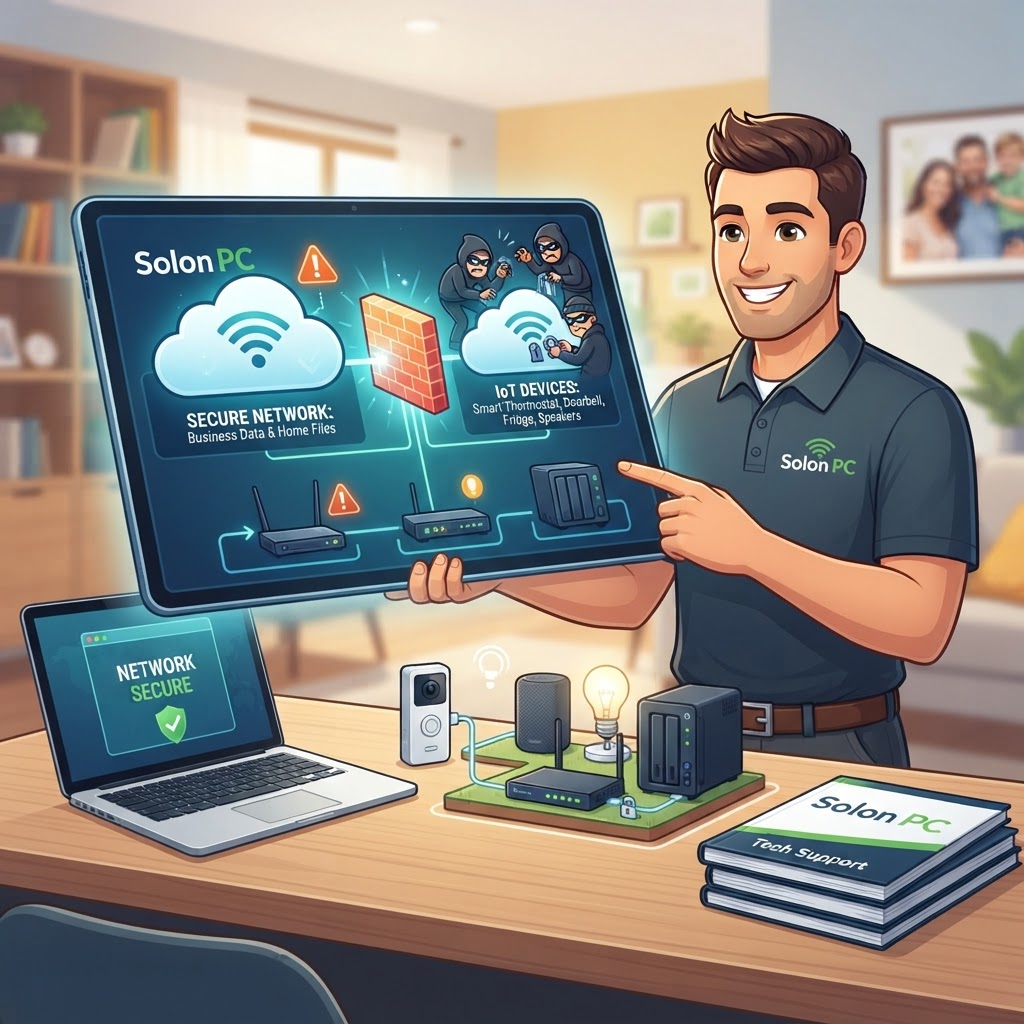
Think of your Wi-Fi network like a hallway in an apartment building. When you connect everything—your work laptop, your kid's tablet, your smart thermostat, and that Wi-Fi-enabled lightbulb—to one single network, they are all essentially living in the same room.
If a hacker gains access to a low-security device, like a cheap smart plug or a camera with outdated software, they don’t just stay in that device. They can use it as a bridge to hop over to the "room" where you keep your tax returns, your business spreadsheets, and your personal banking info. This is how a simple glitch in a smart bulb can suddenly lead to a ransomware headache for your home office.
How to Create a Digital Fence
The best way to stop this is through network segmentation. You don't need to be a programmer to pull this off, but it’s one of the most effective cybersecurity steps you can take. Most modern routers allow you to create a secondary, separate Wi-Fi network—often called a "Guest" network.
Here is why this is a game-changer for your home:
- The Isolation Factor: By moving all your "Internet of Things" (IoT) gadgets—the cameras, fridges, and vacuums—onto this secondary network, you create a virtual wall. If a hacker manages to compromise a device on the guest network, they are stuck there. They cannot see or reach your main computers.
- Protected Office Workflow: Your work-from-home laptop stays on your main, secure network. It remains invisible to the random, less-secure gadgets scattered throughout your house.
- Easier Updates: When you group your IoT devices, it makes it easier to keep track of which ones are running outdated firmware, which is a common way these devices get compromised in the first place.
A Real-World Example
Imagine a family in Aurora running a home-based business. They rely on their smart security cameras to keep the house safe. Because those cameras are connected to the exact same network as their billing software, a single vulnerability in the camera's outdated software could allow a cybercriminal to access their customer database. By simply moving the cameras to a segmented guest network, that potential entry point is completely cut off from the business files. It’s a simple change that offers massive peace of mind.
When You Need a Helping Hand
If you aren't sure how to configure these settings on your router, or if you’re worried your current setup isn't quite as secure as it should be, you aren't alone. Technology should make your life simpler, not more stressful.
At Solon PC, we’ve been providing IT support in Solon and the surrounding areas for over 30 years. Whether you need help setting up a secure network, expert guidance on IT consulting services, or just want to make sure your backups are running properly, we are here to help. We speak plain English, not tech-jargon, and we’re always happy to help our neighbors keep their home offices running smoothly.
Give us a call at 440-349-5555 or visit us at solonpc.com/contact to schedule a consultation. Let’s make sure your home is as secure as it is smart.